Calectro: Information Architecture for B2B HVAC Control
Information Architecture + Interaction Design for HVAC Controllers
Work together?
Get in touchCLIENT
Calectro (via agency contact)
ROLE
IA & Interaction Design
DELIVERABLES
Decision tree flowcharts, OutSystems prototype
CONSTRAINT
No end-user access (heuristic validation only)
TIMELINE
8 weeks (2024)
Brief
"Give HVAC field technicians quick access to correct information to configure a controller or identify the settings on a current installation"
Note: The product hasn't launched yet so some details have been blurred.
Core Problem
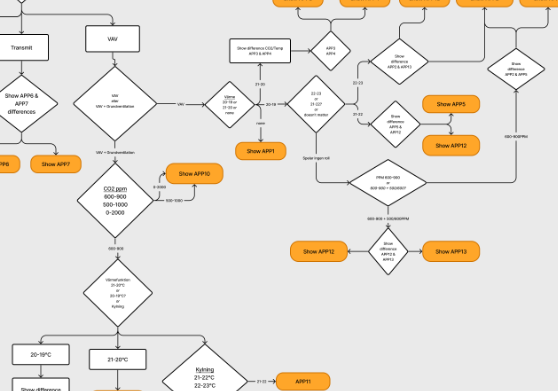
Identify the hierarchy of decisions an HVAC technician goes through when configuring a controller and present the different paths in an unambiguous way.
Bonus Challenge
The product isn't on the market until 2025 and certain technical aspects as well as documentation are work in progress, so I've had to come up with an adaptable solution rather than a fixed one to counter any future revisions.
The Central Constraint
This project had a significant limitation: no access to end users (HVAC technicians). Despite repeated requests throughout the engagement, I was unable to interview technicians, observe field work, or validate designs with actual users.
This meant all IA decisions were based on:
- Heuristic evaluation of the controller's program structure
- Feedback from the client contact (not a technician himself)
- General UX principles for decision trees and mobile interfaces
Implication: This is an IA exercise with stakeholder validation, not user research. The resulting design is structurally sound but unvalidated by technicians who would actually use it.
Controller Functions
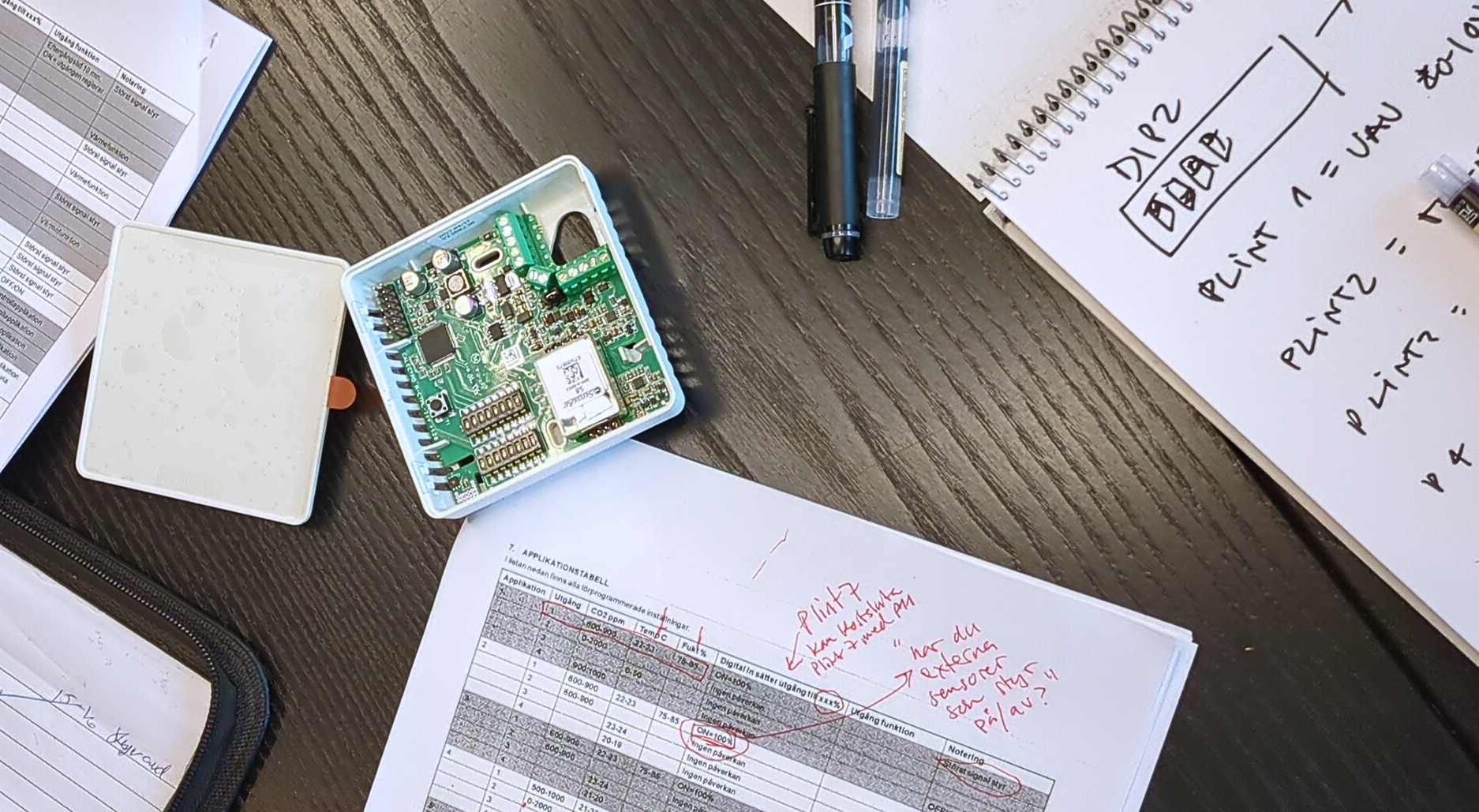
The controller contains sensors for multiple parameters like humidity, temperature, etc., and this data can either control heating/cooling directly, or be fed into a main control system. For example, when the relative humidity reaches 80% you might want to increase the airflow in a room until you're down to 70%, but at the same time you want to keep the temperature at a cozy 22°C. HVAC sensors and control systems are the ones responsible for maintaining these climates.
Every modern office or apartment building will have such sensors scattered everywhere, and since different buildings and rooms can have different requirements, this controller allows a field technician to change the settings depending on the requirements.
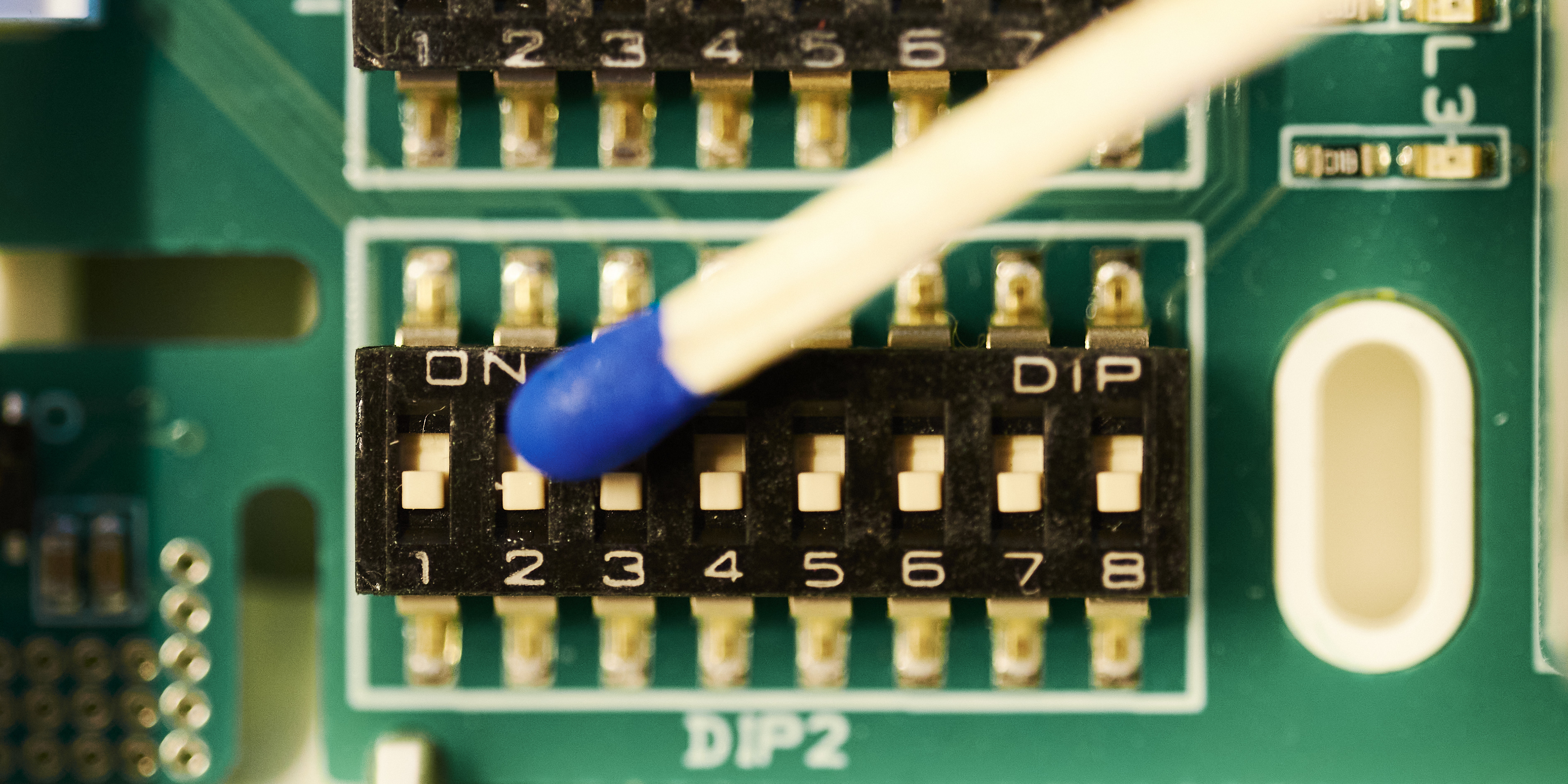
This controller is made small to be discreet, which means the interface for controlling the setting is small, in this case with SPST DIP switches. There isn't enough space to display the settings in a meaningful way on the controller itself, so traditionally technicians have had to refer to printed manuals or PDF data sheets.
While my proposed application doesn't completely eliminate the need for a proper manual, it's intended to replace it in one of the most common tasks in the field: setting or analyzing the settings on a controller.
IA & Flowcharts
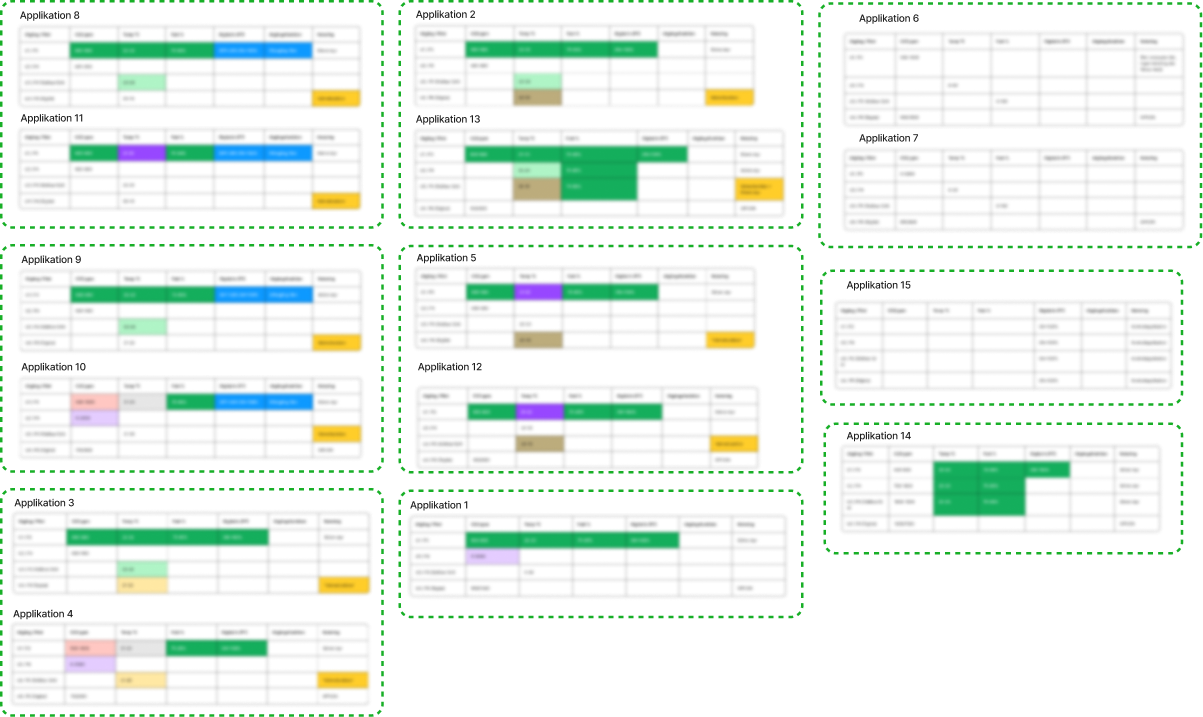
After discussions with the client about scope, we decided that the primary problem they wanted to solve was to let a technician identify how to set the DIP switches to meet a site requirement. Since the controller has 15 different applications - each with four parallel outputs - I started by going through the documentation and clustering the applications.
There was a lot of overlap between the different applications and I had to make some assumptions about their hierarchy and the order of operations for a field technician, but it was good enough to let me sketch a first flowchart of interactions.
The clustering allowed me to present a flowchart that illustrated the order of operations I was proposing, as well as an interactive wireframe that I presented to the developers and PO to get their approval. The client gave me much-needed domain knowledge and we were able to reach agreement quickly.
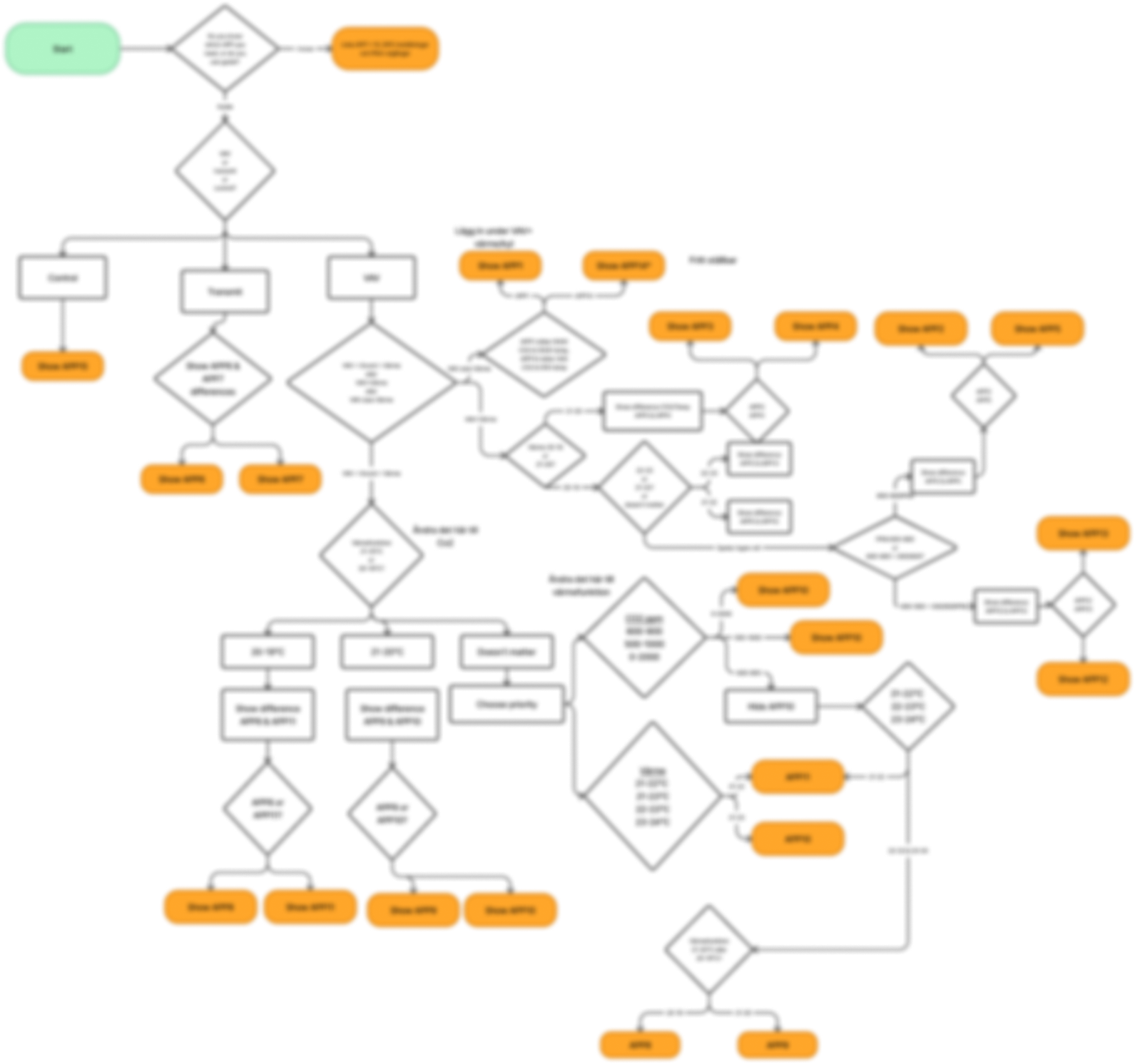
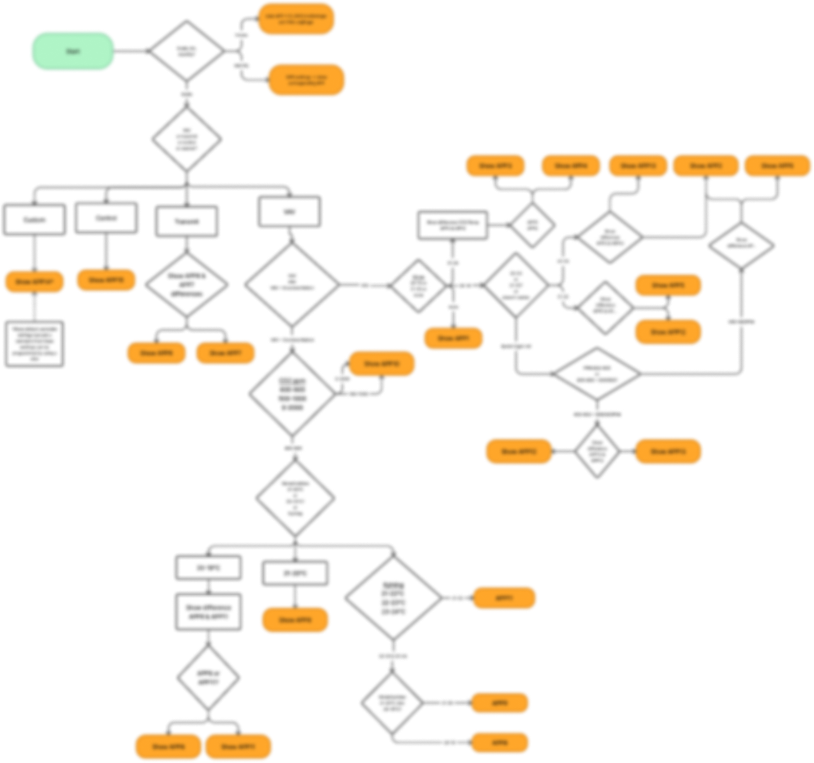
Flowcharts are great for discussing user flow while respecting the engineering method of information architecture, and with that in hand I could quickly swap out flows based on client feedback. A flowchart doesn't let you wave away the problem - there's no "maybe" or "we'll fix it in code". Flowcharts will highlight your blind spots mercilessly, and forced both me and the client to make decisions that enabled rapid development.
Prescriptive vs Open
Without access to users or user data, I proposed a prescriptive method for the solution: Together with the client, I would prioritize the different application functions (temp, humidity, CO2) and let a user make step-by-step choices based on the priority we decided.
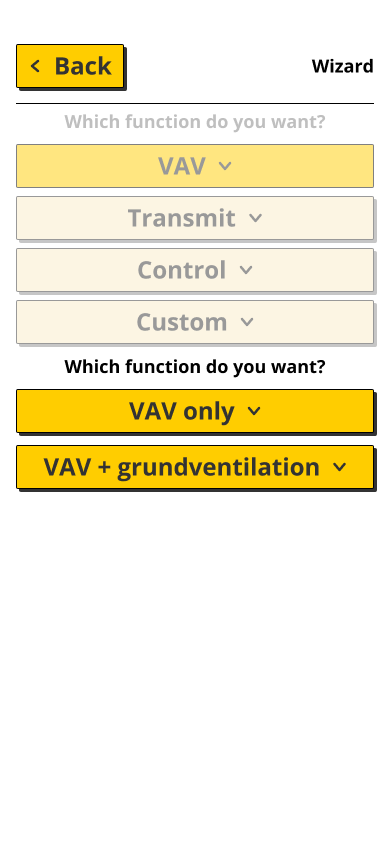
A user would never need to choose between more than three options, and arrive at most with two final application suggestions that both solve their problem. As long as the order of operations matched the users expectations, this would provide a result quickly and be easily repeatable in other situations. Most importantly, it would be easy to test such a prescriptive solution with actual HVAC field technicians.
With limited time for design and development, and without users to actually evaluate this much trickier proposition, I chose a prescriptive solution and focused on making the affordances as obvious and consistent as possible.
An alternative approach would be to design a multi-select filter that would allow the user to set all parameters for the "ideal" application, and then present the matching applications. I decided against this approach because this would require a design that would fail gracefully in thousands of cases where the selected functions were mutually exclusive.
The advantage of such an "open" solution is that it could be designed to handle changes in the applications themselves without having to re-evaluate a flowchart priority, and it would accommodate differences between use cases (for example, in a school CO2 might be most important, in a kitchen relative humidity).
IA Approach: Alternatives Considered
Why Decision Tree Over Search?
HVAC technicians work in cramped, poorly lit environments; attics, basements, mechanical rooms, often wearing bulky gloves or work gear.
Rejected: Search-based interface
- Typing on mobile in field conditions is slow and error-prone
- Requires search logic, autocomplete, spelling correction
- Voice recognition unreliable in noisy HVAC environments
- Technicians don't always know program names/terminology
Chose: Binary decision tree
- Large touch targets suitable for gloved hands
- Progressive disclosure: No need to see all 16 programs at once
- Predictable navigation (back/forward through tree)
- Works without keyboard/voice input
Why Flowchart Over Lookup Table?
Rejected: Flat list or table view
- Requires technician to hold all 16 programs in mental model
- Comparison overhead (scanning, evaluating differences)
- Small text required to fit all options on screen
Chose: Flowchart-based navigation
- Large, readable text and buttons
- Simple binary choices reduce cognitive load
- Progressive: only see relevant options at each step
- Physically easier to navigate in field conditions
Trade-off: Takes 5 clicks instead of potentially 1, but those 5 clicks are more reliable and accessible than scrolling/comparing a long list.
App Design
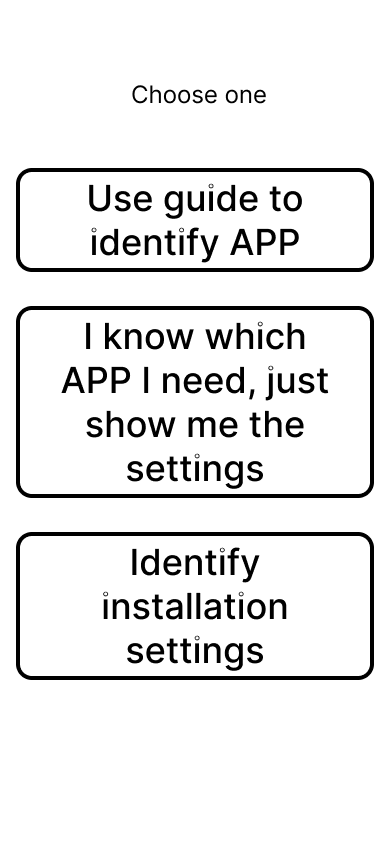
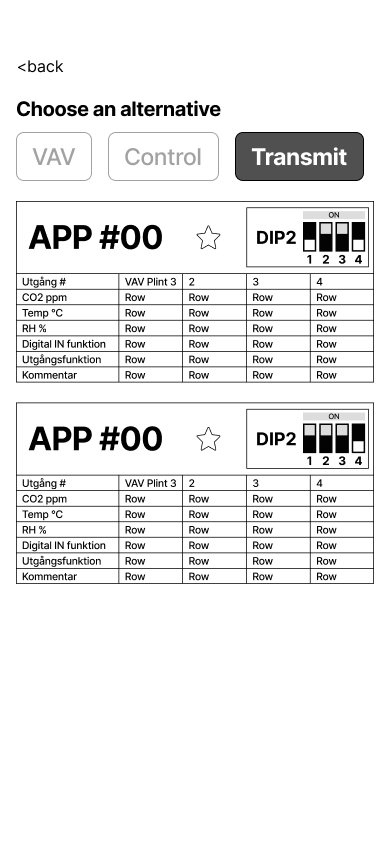
The first version of the app allows a field technician to do three things:
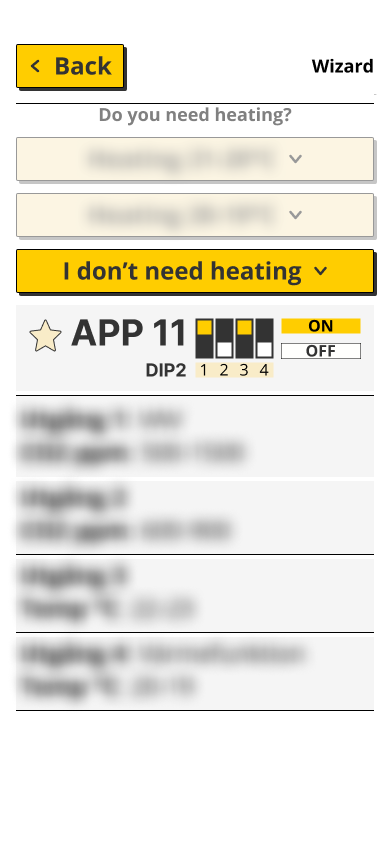
- Use an interactive guide to identify the current setting on a controller - for example when troubleshooting an existing installation, or if on-site documentation is missing.
- List all possible settings on one page, as well as mark certain ones as "favorite" for faster recall.
- Use an installation guide to go through a decision tree based on the controllers most important functions. Is temperature control more important than humidity, etc.
I created interactive Figma prototypes to demonstrate the user flows, which the development team then used to build the OutSystems version. The biggest difference between iterations has been in the actual flow and hierarchy, but since the mental model has remained the same I was able to continue refining the design while we fine-tuned the flowchart.
The final proposed app was designed in Swedish, and some of the graphic assets would need updating since the controller design wasn't finalized, but the current version adheres to the client's brand guidelines in terms of color and typography.
I made the design sparse both so that a stressed field technician could easily distinguish between information and affordance, but also to more easily accommodate later brand integration with other client products.
And Another Flowchart for the Developers
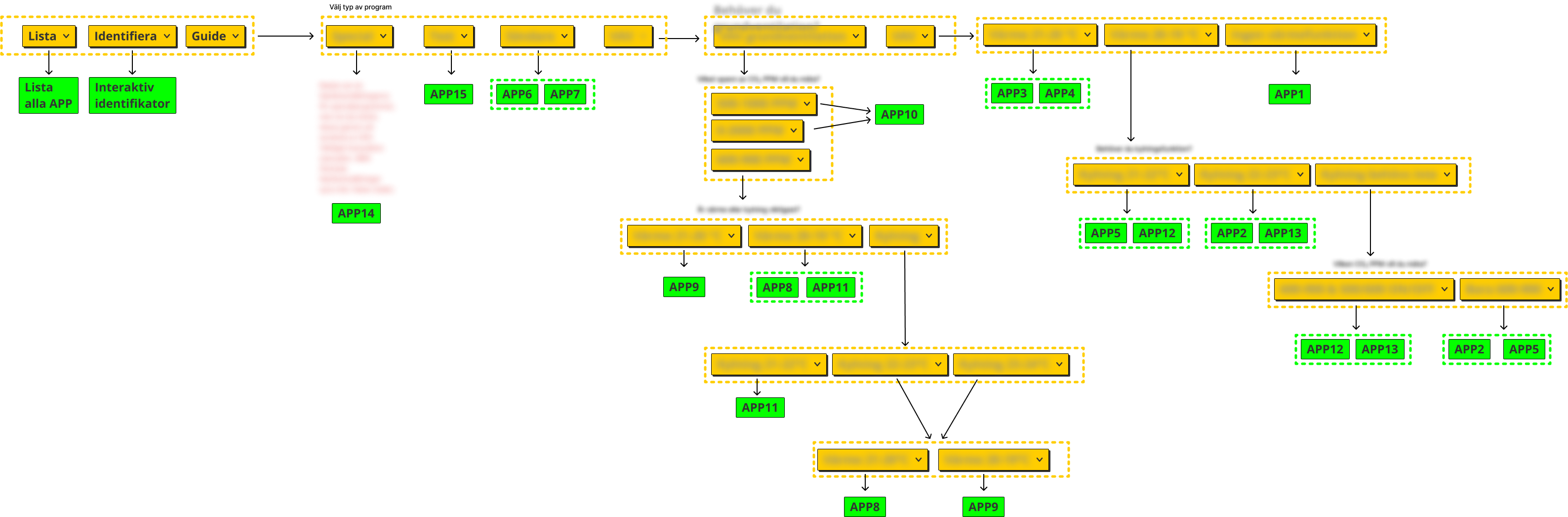
While the developers have no problem navigating Figma prototypes, there are diminishing returns in using the prototype as a single source of truth - it's just too easy to make mistakes and miss important information - so the team leader asked for a better presentation of all user-facing information in the guide. I turned to yet another flowchart, but this time edited for clarity and reusing some of the graphic elements to better fit into the developers mental model of the app.
Outcome
The development team created a functional OutSystems prototype, delivered to the client on a test platform accessible via mobile browser.
Project status: The project did not move forward, leading to the project being shelved pending more organisational buy-in.
No field validation occurred: The prototype was never tested with actual HVAC technicians. As a result, while the IA structure is logically sound, its real-world usability remains unproven.
What I learned: The importance of validating stakeholder authority early, and the limitation of IA work without user access. This experience reinforced that heuristic design, no matter how well-reasoned, is not a substitute for user testing.